"Generate an image of someone using a laptop."
We've all done it. Typed a vague prompt into AI and hoped it would somehow know exactly what we wanted.
The problem? AI can only work with the information you provide.
Imagine giving a designer this brief:
"Create an orange logo for a digital agency."
You'd instantly have questions. For who? What does the business do? What should it communicate?
AI works the same way. The more context you provide, the better the result. A stronger brief means fewer revisions, fewer wasted credits and far less frustration.
Because whether you're briefing a designer or an AI model, the same rule applies:
Good inputs create good outputs.
Here's how to get better results first time.
Speak AI's language
The mistake most people make is talking to AI like they'd talk to another person.
AI works differently.
It understands photography styles, lighting, composition, aspect ratios and visual direction far better than broad requests like:
"Generate an image for annual leave."
One of the simplest ways to improve your results is to ask AI to create the prompt for you:
"Write me a detailed image-generation prompt for a professional intranet banner about annual leave."
A better prompt usually means a better image, fewer revisions and fewer wasted credits.
Describe the outcome, not the objects
Don't give AI a shopping list.
❌ Laptop, notebook, calendar, sunglasses
✅ Travel-inspired office scene representing annual leave planning, premium corporate photography, bright natural lighting, orange and purple brand accents.
The first describes objects, the second describes intent. AI produces better results when it understands what the image is trying to achieve.
Think in layouts, not pixels
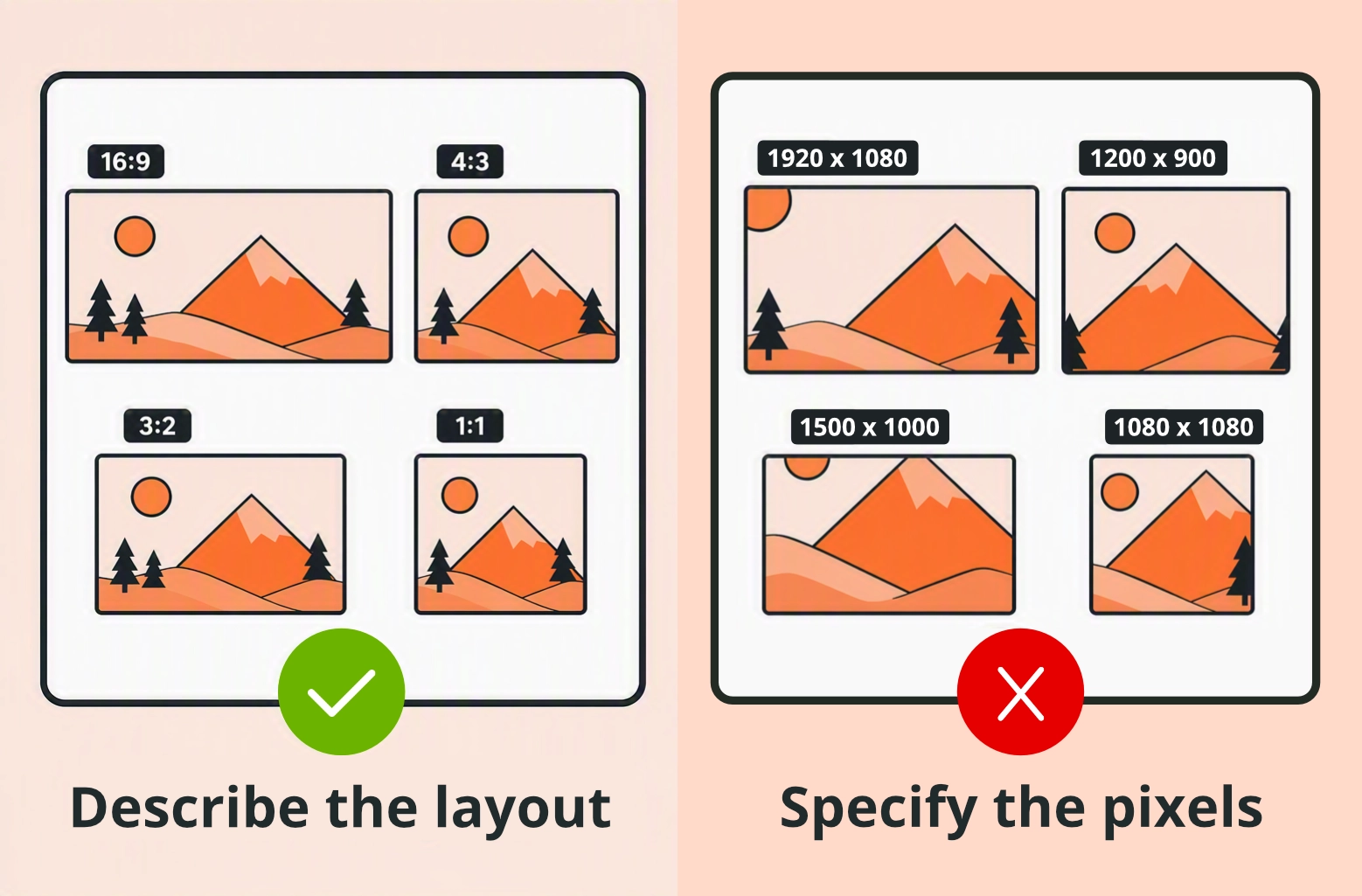
Aspect ratios help AI understand how the image is likely to be use and composed. Instead of defining dimensions in pixels, describe the layout you need and let the AI build the composition around it.
For example, use 16:9 for website banners, 4:3 for content cards, 3:2 for marketing imagery and 1:1 for social posts.
Less cropping. Less editing. Better results.
Give AI your brand kit
A brand kit gives AI context about your organisation.
Include:
- Brand colours
- Logos
- Typography
- Photography style
- Brand guidance
- Example images that represent the style you're aiming for
Without these assets, AI makes assumptions. With them, it creates imagery that feels far closer to your brand from the start.
It's the difference between generating an image and generating your image.
Set clear constraints
Sometimes what you don't want is just as important as what you do.
Examples include:
- No text
- No empty space
- No stock-photo handshakes
- No unrealistic AI artefacts
- Leave room for a headline
Simple constraints dramatically increase the chances of a usable first draft.
Use the master formula
Most successful prompts follow the same structure:
Subject + Environment + Photography Style + Lighting + Brand Colours + Aspect Ratio + Constraints
This formula helps AI understand not just what to create, but why you're creating it, leading to more useful and consistent results.
Try the example
Connected digital ecosystem with websites, mobile apps, customer portals, analytics dashboards and automation workflows seamlessly linked together. Modern technology environment. Premium 3D marketing visual. Dramatic studio lighting. Orange and purple colour palette. 3:2 aspect ratio. The word "Spinbox" integrated into the scene. No people. No logos. No empty space.
This formula gives AI enough context to understand both the content and the purpose of the image.
Final thoughts
AI image generation isn't about writing more prompts. It's about writing better briefs.
The organisations getting the best results aren't generating more images - they're providing better direction from the start.
A few extra minutes spent improving your prompt can save dozens of revisions, reduce wasted credits and produce imagery that's actually fit for purpose.